
Mental Health, Therapy resources
Psychologist Website – Complete Guide

Jul
A psychologist’s website is basically your digital front door, and honestly, most of them look like they were built in 2008 and never updated. I spent three months in 2021 helping a colleague redesign her entire online presence because she was getting maybe two inquiries a month, and it turned out her contact form wasn’t even working half the time. The whole experience made me realize how many psychologists treat their websites like an afterthought when it’s literally the first impression most potential clients will have of you.
Why Your Website Actually Matters
People Google therapists now. That’s just how it works. They’re not flipping through the Yellow Pages or asking their doctor for a referral as the first step—they’re sitting on their couch at 11 PM having a panic attack and typing “psychologist near me anxiety” into their phone. Your website needs to meet them in that moment and make them feel like you might actually understand what they’re going through without being weirdly over-promising or, worse, so clinical that it feels like reading a medical textbook.
The thing that annoys me most is when psychologist websites are so vague about what they actually do that you can’t tell if they specialize in anything or if they’re just trying to appeal to everyone. “I work with individuals, couples, and families dealing with life transitions, stress, and personal growth.” Okay, so… everyone? That tells me nothing.
Essential Pages You Actually Need
Your website doesn’t need to be complicated. In fact, it shouldn’t be. You need a homepage, an about page, a services page, and a contact page. Maybe a blog if you’re gonna actually maintain it, but if you’re not going to post more than twice a year, skip it. Nobody wants to land on a blog where the last post is from 2019 about New Year’s resolutions.
Homepage Design
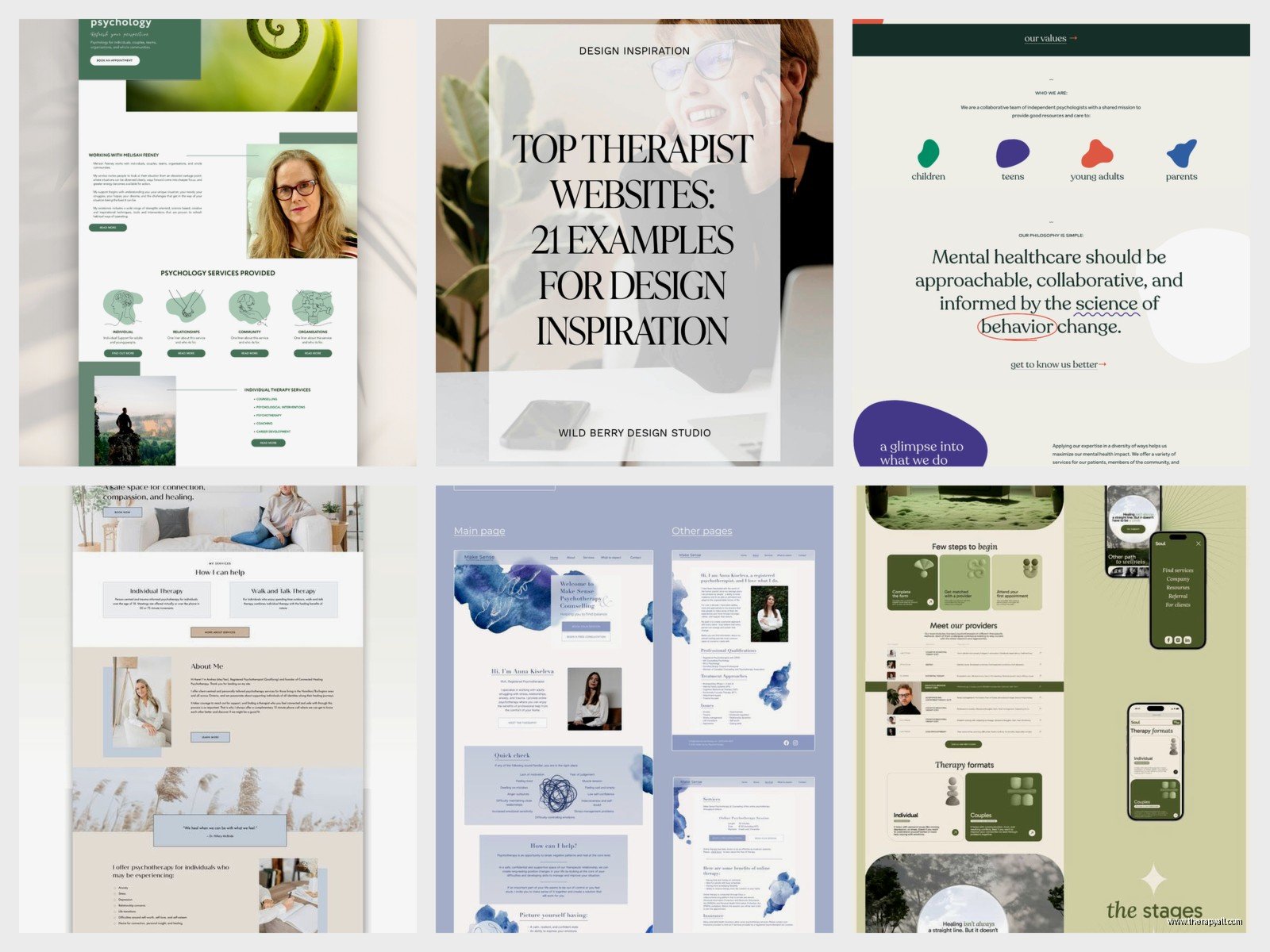
Your homepage should answer three questions within about five seconds: Who are you? Who do you help? How do they get started? I’ve seen homepages that are just a giant photo of a sunset and the word “Healing” in script font, and like… what am I supposed to do with that information?
You want your name, credentials, a brief statement about your approach or specialty, and a clear call-to-action button. “Schedule a Consultation” or “Get Started” works. “Begin Your Journey” is kinda cheesy but honestly if it fits your vibe, go for it. The button should be a color that stands out—not just gray on gray where people have to hunt for it.
About Page
This is where you get to be a human. People want to know who you are, not just where you went to school. Yes, include your credentials and training, but also talk about why you became a psychologist, what your approach is like, maybe what you believe about therapy. I remember when I was updating my own about page and my cat jumped on my keyboard and somehow deleted three paragraphs—turned out the shorter version was actually better because I’d been rambling about my dissertation research that literally no potential client cares about.
Include a professional photo. Not a stock photo, not a picture of a beach, not a silhouette—an actual photo of your face. People need to know what you look like. They’re going to be sitting in a room with you (or on a video call with you) talking about their deepest struggles. Seeing your face beforehand helps.
Services Page
Be specific here. What do you actually treat? What modalities do you use? What does a typical session look like? Do you offer individual therapy, group therapy, assessments, consultations? Break it down clearly.
If you specialize in something, say it. “I work with adults experiencing anxiety, OCD, and panic disorder using exposure and response prevention and cognitive-behavioral therapy.” That’s specific. That tells someone whether you’re the right fit. You’re not gonna be the right therapist for everyone and that’s fine—actually, it’s good. Trying to appeal to everyone means you appeal to no one.
Include your fees and insurance information. I know some psychologists get weird about listing prices on their websites, but people need to know if they can afford you. You don’t have to list your exact rate if you’re not comfortable with that, but at least give a range or say whether you take insurance, offer a sliding scale, or are out-of-network only.
Contact Page
Make it easy for people to reach you. Phone number, email, contact form—ideally all three. The contact form should be simple: name, email, phone, brief message about what they’re looking for. Don’t make people fill out a 20-question intake form just to ask if you have availability.
Set expectations about response time. “I return calls within 24 business hours” or “I check email twice daily on weekdays.” People appreciate knowing when they’ll hear back, especially when they’re already anxious about reaching out in the first place.
Technical Stuff You Can’t Ignore
HIPAA Compliance
Your website needs to be secure. That means HTTPS (the little lock icon in the browser), a secure contact form, and a clear privacy policy. You can’t just use a regular contact form that sends unencrypted emails—you need something that’s actually HIPAA-compliant if people are going to be sharing any personal or health information.
Most website builders now offer HIPAA-compliant forms, or you can use a specialized service. This isn’t optional. This is a legal requirement if you’re handling protected health information.
Mobile Optimization
More than half of people are looking at your website on their phones. If your site looks terrible on mobile or takes forever to load, they’re just gonna move on to the next psychologist’s website. Test your site on your phone. Click through every page. Make sure buttons are easy to tap, text is readable without zooming, and images load properly.
Website Platforms
You’ve got options. WordPress is the most flexible but has a learning curve. Squarespace and Wix are easier for beginners but less customizable. There are also therapy-specific platforms like SimplePractice or TherapySites that include HIPAA-compliant features built in.

I usually recommend Squarespace for psychologists who aren’t tech-savvy and just want something that looks professional without a lot of fuss. WordPress if you want more control or plan to do a lot of content creation. The therapy-specific platforms if you want everything integrated—website, scheduling, billing, client portal, all in one place.
Content That Actually Connects
Writing Style
Write like a human, not like a journal article. You can be professional without being stuffy. Avoid jargon unless you’re specifically targeting other professionals. Nobody outside our field knows what “affect regulation” or “rupture and repair” means in casual conversation.
Be warm but not saccharine. You don’t need to promise transformation or use words like “journey” and “sacred” unless that’s genuinely your style. Some clients want straightforward and practical, not poetic.
Blog Content
If you’re gonna have a blog, commit to it or don’t do it at all. One post a month is fine. One post a quarter is fine. But sporadic posts from three years ago just make your site look abandoned.
Write about things your ideal clients are actually searching for. “How to find a therapist for anxiety” or “What to expect in your first therapy session” or “The difference between psychologists and psychiatrists”—these are practical topics people want to know about. You don’t have to reinvent the wheel. Just give your perspective on common questions.
I was writing so many blog posts in summer 2022 for various projects that I started having dreams about SEO keywords, which is probably a sign I needed a vacation, but also I learned a lot about what actually gets traffic and what just sits there unread forever.
SEO Basics for Psychologists
Search Engine Optimization sounds complicated but the basics are pretty straightforward. You want Google to understand what your website is about so it shows up when people search for psychologists in your area or with your specialty.
Local SEO
Include your location throughout your website. Your city, neighborhood, even nearby cities you serve. “Psychologist in Austin, Texas” or “Serving the greater Portland area.” This helps you show up in local searches.
Claim your Google Business Profile. This is free and it’s how you show up in the map results when people search for therapists near them. Fill it out completely—hours, services, photos, description. Ask clients to leave reviews if they’re comfortable (following your state’s ethics guidelines about testimonials, obviously).
Keywords
Think about what people are typing into Google when they’re looking for someone like you. “Anxiety therapist Seattle” or “child psychologist Brooklyn” or “trauma therapy near me.” Use these phrases naturally in your website content—in your page titles, headings, and body text.
But don’t stuff keywords everywhere until it sounds robotic. Google’s smart enough now to understand context and synonyms. Just write naturally about what you do and who you help, and include location and specialty terms where they make sense.
Page Titles and Descriptions
Every page should have a unique title tag and meta description. These are what show up in Google search results. Your homepage might be “Dr. Sarah Chen, Clinical Psychologist in Denver | Anxiety & Depression Therapy.” Your about page might be “About Dr. Sarah Chen | Licensed Psychologist Specializing in CBT.”
Meta descriptions are the little blurbs under the title in search results. Write them like you’re trying to convince someone to click through to your site. “Dr. Chen provides evidence-based therapy for anxiety and depression in downtown Denver. Accepting new clients. Call for a free consultation.”
Common Mistakes to Avoid
Don’t use stock photos of people in therapy sessions. They look fake and everyone uses the same ones. Either use photos of yourself and your actual office, or use abstract images, or honestly just use solid colors and good typography. Stock photos of a woman crying while someone hands her a tissue are not helping anyone.
Don’t make people navigate through five pages to find your contact information. It should be accessible from every page—either in the navigation menu or in a prominent button or footer.
Don’t autoplay videos or music. Just… don’t. It’s 2024, we know better than this.
Don’t forget to update your website when things change. If you move offices, change your phone number, stop accepting insurance, or add a new specialty—update your website. I can’t tell you how many times I’ve seen websites with old addresses or phone numbers that don’t work anymore, or wait, I guess I just did tell you.
Accessibility Considerations
Your website should be usable by people with disabilities. This means proper heading structure, alt text for images, sufficient color contrast, and keyboard navigation. Most website builders have accessibility checkers built in now, but you can also use free tools like WAVE to test your site.
Use clear, readable fonts. Not size 10 light gray text on white background. Aim for at least 16px font size and good contrast ratios. Some of your potential clients might have vision issues or reading difficulties, and you don’t want your website to be another barrier to accessing care.
Maintenance and Updates
Your website isn’t a set-it-and-forget-it thing. You need to keep your software updated, check that all your links work, make sure your contact form is still functioning, and review your content periodically to make sure it’s still accurate.
Set a reminder to review your website every few months. Click through every page. Test your contact form. Make sure everything loads properly. Update any outdated information. It takes maybe 30 minutes and it’s worth it to catch problems before a potential client does.
If you’re using WordPress, you’ll need to update plugins and themes regularly for security. If you’re on a hosted platform like Squarespace, they handle most of this automatically, which is one reason I recommend them for people who don’t want to deal with technical maintenance.
Online Scheduling and Client Portals
Consider adding online scheduling if you’re comfortable with it. A lot of people prefer to book appointments online rather than playing phone tag. There are HIPAA-compliant scheduling tools that integrate with your website and calendar.
Client portals where people can fill out intake paperwork, access resources, and communicate securely can be helpful too, but they’re not essential for a basic website. Start with the fundamentals and add features as you go if they make sense for your practice.
My colleague’s cat has learned to step on her keyboard during video sessions and it closes the window every single time, which is completely unrelated to websites but it made me laugh when she told me yesterday and I thought about it just now for some reason.
Privacy Policy and Legal Pages
You need a privacy policy that explains how you collect, use, and protect visitor information. If you’re using cookies or analytics tools, you need to disclose that. There are privacy policy generators online that can help you create one, or you can hire a lawyer to draft one specific to your practice.
Some states require specific disclosures on healthcare provider websites. Check your state licensing board’s requirements to make sure you’re compliant. This might include your license number, supervisor information if you’re provisionally licensed, or specific language about fees and insurance.
ADHD & Neurodiversity
Life Planner Bundle – Life Organizer
Self-Care & Personal Growth
Acceptance And Commitment
Anxiety & Stress
Stress Processing Journal & Reflection Worksheets For Daily Self – Care
Self-Care & Personal Growth
Self – Reflection Guided Journal With Guided Prompts 30
Emotional Wellness
Decision Processing – Thought Processing Journal For Daily Self – Care
Therapist Resources
Physiotherapist Journal PDF Planner Tracker Or Log Book
Self-Care & Personal Growth
Customizable Self – Confidence & Self – Esteem Guided Journal
ADHD & Neurodiversity
ADHD Behavior Tracker PDF Planner Tracker Or Log Book